Morphologies
Morphologies are the 3D representation of a cell. A morphology consists of head-to-tail connected branches, and branches consist of a series of points with radii. Points can be labeled and can have multiple user-defined properties per point.
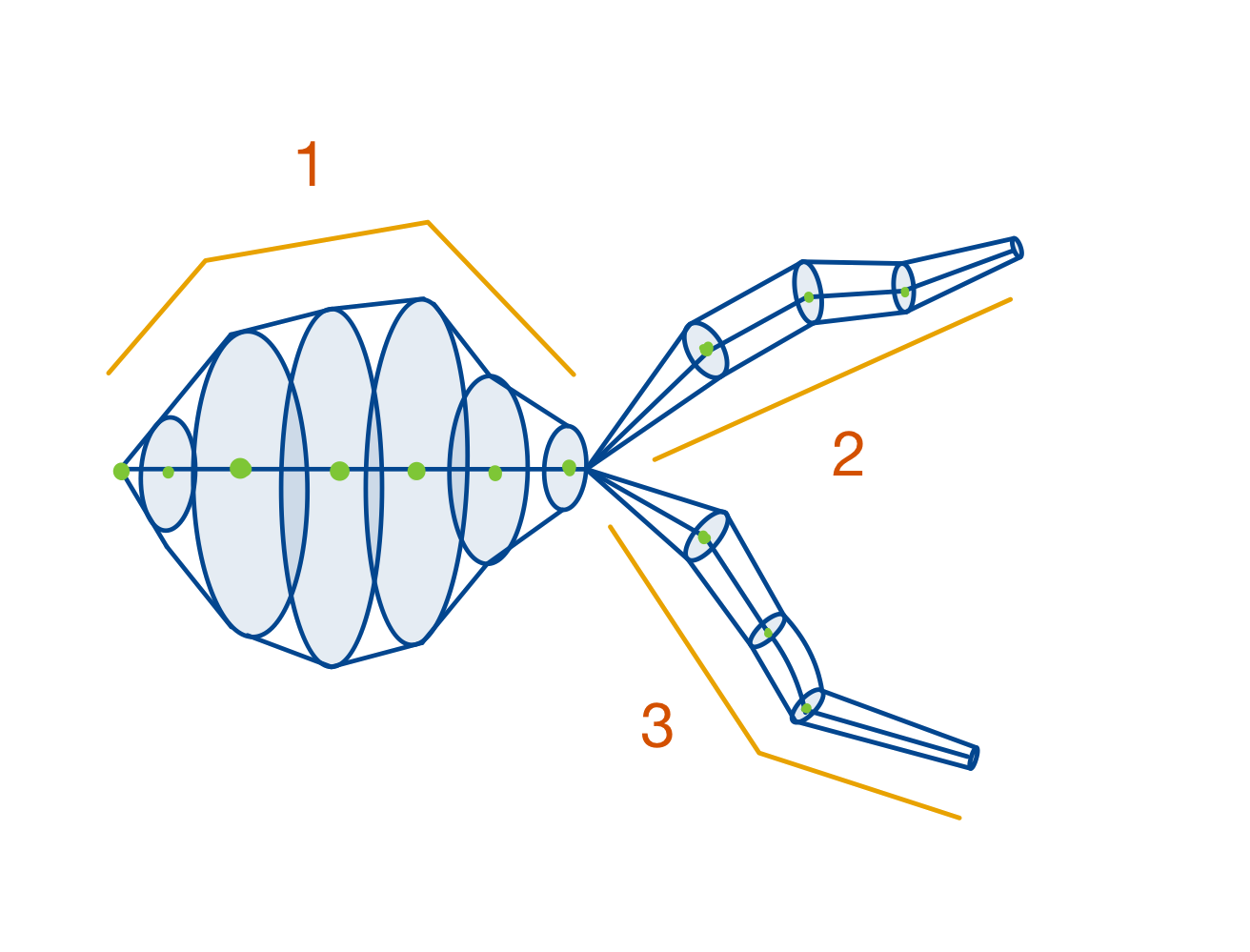
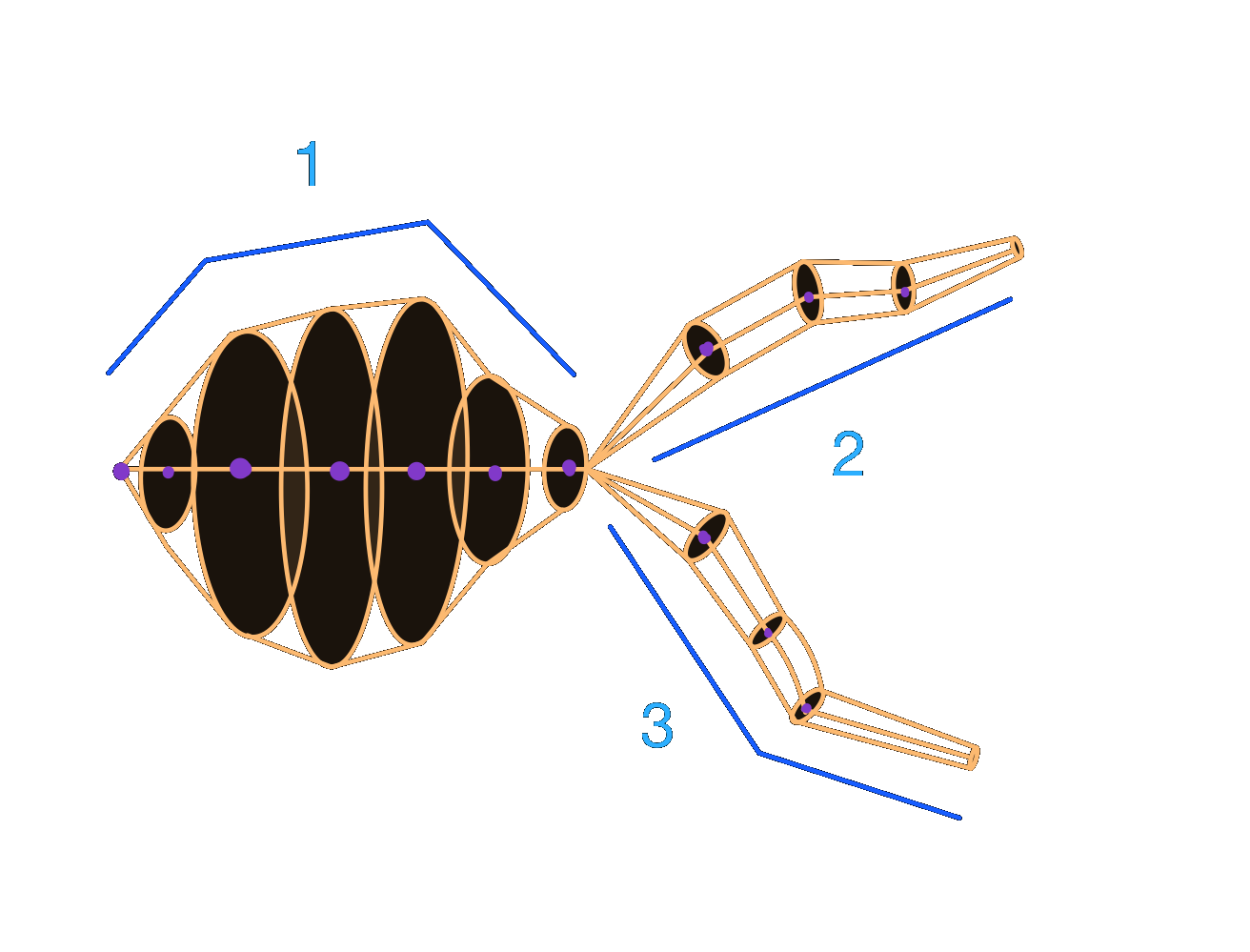
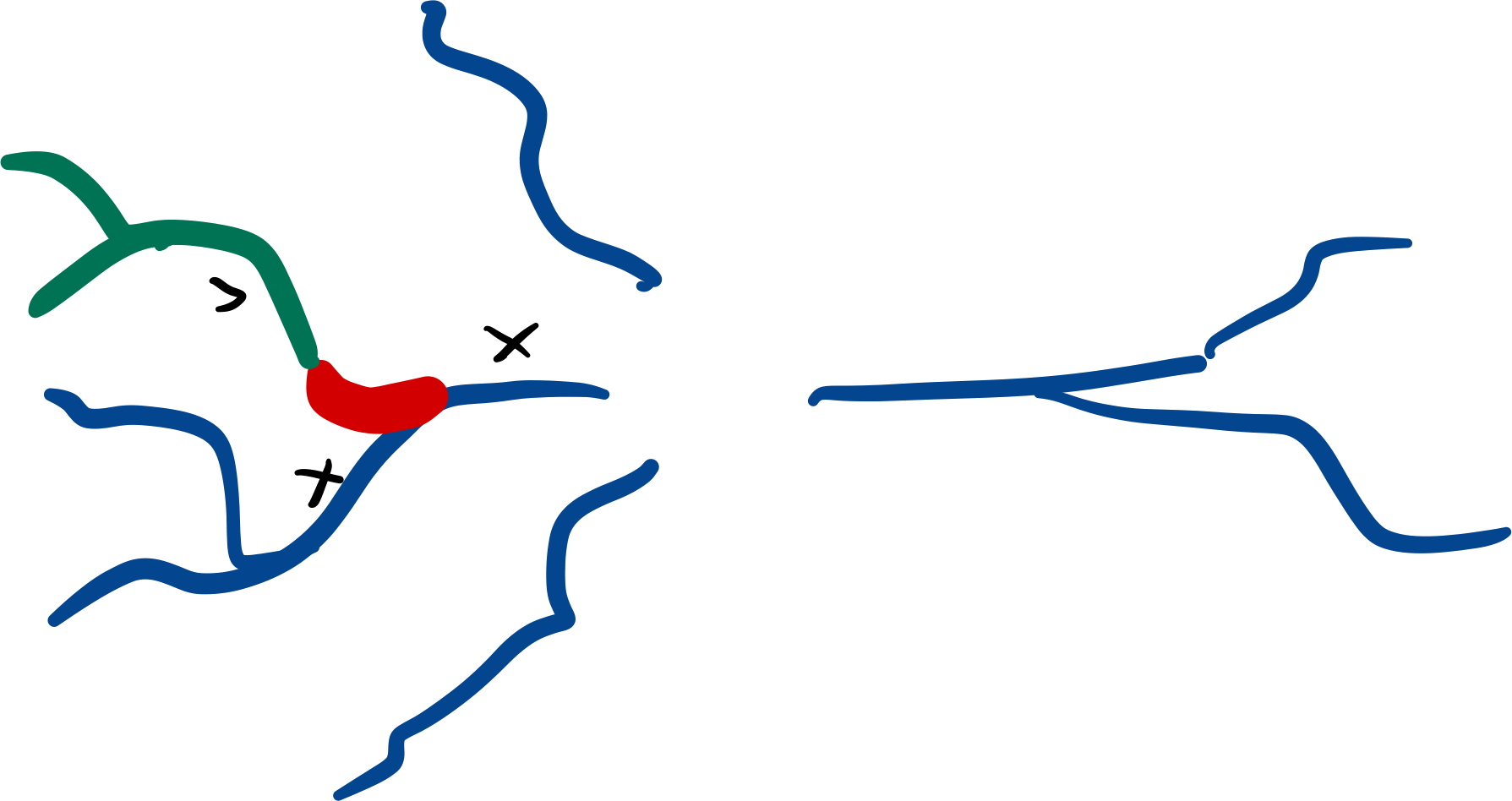
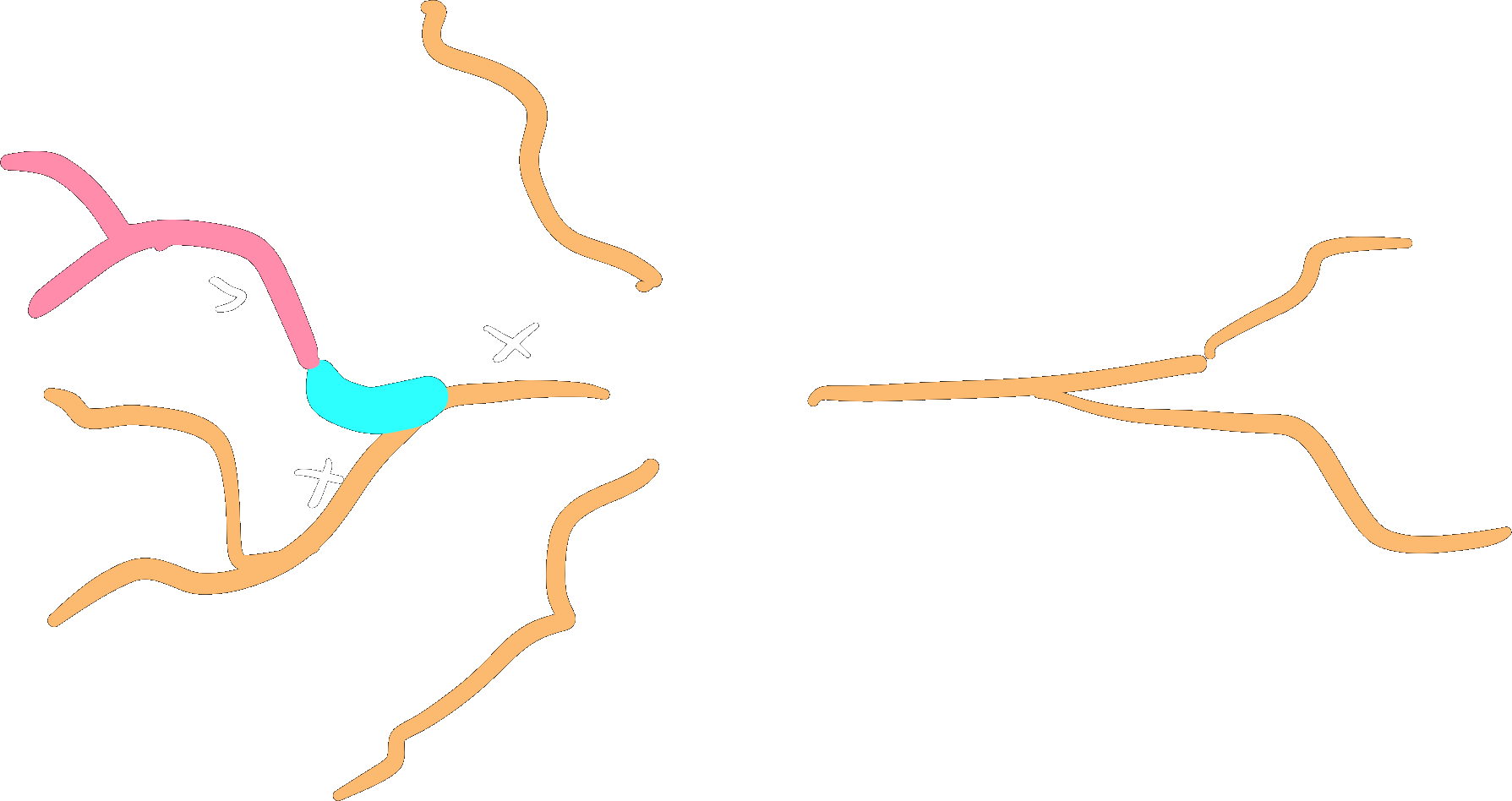
The root branch, shaped like a soma because of its radii.
A child branch of the root branch.
Another child branch of the root branch.
Network configurations can contain a morphologies key to define
the morphologies that should be processed and assigned to cells. See
Adding morphologies for a guide on the possibilities.
Morphologies can be stored in a network in the
MorphologyRepository.
Parsing morphologies
A morphology file can be parsed with
parse_morphology_file,
if you already have the content of a file you can pass that directly into
parse_morphology_content:
from bsb import parse_morphology_file

# Import a morphology from a file
morpho = parse_morphology_file("data/neuron_A.swc")
Important
The default parser only supports SWC files. Use the morphio parser for ASC files.
There are many different formats and even multiple conventions per format for parsing morphologies. To support these diverse approaches the framework provides configurable Morphology parsers. You can pass the type of parser and additional arguments:
from bsb import parse_morphology_file

morpho = parse_morphology_file("./my_file.swc", parser="morphio", flags=["no_duplicates"])
Once we have our Morphology object we can save
it in Storage; storages and networks have a
morphologies attribute that links to a
MorphologyRepository that can
save and load morphologies:
from bsb import Storage

# Store it in a MorphologyRepository to use it later.
store = Storage("hdf5", "morphologies.hdf5")
store.morphologies.save("my_morphology", morpho)
Constructing morphologies
Create your branches, attach them in a parent-child relationship, and provide the roots to
the Morphology constructor:
from bsb import Branch, Morphology
import numpy as np

root = Branch(
  # XYZ
  points=np.array([
    [0, 1, 2],
    [0, 1, 2],
    [0, 1, 2],
  ]),
  # radii
  radii=np.array([1, 1, 1]),
)
child_branch = Branch(
  points=np.array([
    [2, 3, 4],
    [2, 3, 4],
    [2, 3, 4],
  ]),
  radii=np.array([1, 1, 1]),
)
root.attach_child(child_branch)
m = Morphology([root])
Basic use
Morphologies and branches contain spatial data in the points and radii attributes.
Points can be individually labelled with arbitrary strings, and additional properties for
each point can be assigned to morphologies/branches:
import numpy as np

from bsb import from_storage

# Load the morphology from the Scaffold object
scaffold = from_storage("morphologies.hdf5")
morpho = scaffold.morphologies.load("my_morphology")
Once loaded we can do transformations, label or assign properties on the morphology:
# Take a branch
special_branch = morpho.branches[3]
# Assign some labels to the whole branch
special_branch.label(["axon", "special"])
# Assign labels only to the first quarter of the branch
first_quarter = np.arange(len(special_branch)) < len(special_branch) / 4
special_branch.label(["initial_segment"], first_quarter)
# Assign random data as the `random_data` property to the branch
special_branch.set_properties(random_data=np.random.random(len(special_branch)))
print(f"Random data for each point: {special_branch.random_data}")
Once you are done with the morphology you can save it again:
scaffold.morphologies.save("processed_morphology", morpho)
Note
You can assign as many labels as you like (2^64 combinations max 😇)! Labels’ll cost you almost no memory or disk space! You can also add as many properties as you like, but they’ll cost you memory and disk space per point on the morphology.
Labels
Branches or points can be labelled, and pieces of the morphology can be selected by their label. Labels are also useful targets to insert biophysical mechanisms into parts of the cell later on in simulation.
import numpy as np

from bsb import from_storage

# Load the morphology from the Scaffold object
scaffold = from_storage("morphologies.hdf5")
morpho = scaffold.morphologies.load("my_morphology")
# Filter branches
big_branches = [b for b in morpho.branches if np.any(b.radii > 2)]
for b in big_branches:
    # Label all points on the branch as a `big_branch` point
    b.label(["big_branch"])
    if b.is_terminal:
        # Label the last point on terminal branches as a `tip`
        b.label(["tip"], [-1])

scaffold.morphologies.save("labelled_morphology", morpho)
Properties
Branches and morphologies can be given additional properties. The basic properties are
x, y, z, radii and labels. You can pass additional properties to the
properties argument of the Branch constructor.
They will be automatically joined on the morphology.
Subtree transformations
A Subtree is a (sub)set of a morphology defined
by a set of roots and all of its downstream branches (i.e. the branches emanating
from a set of roots). A subtree with roots equal to the roots of the morphology is equal
to the entire morphology, and all transformations valid on a subtree are also valid
morphology transformations.
Creating subtrees
Subtrees can be selected using label(s) on the morphology.
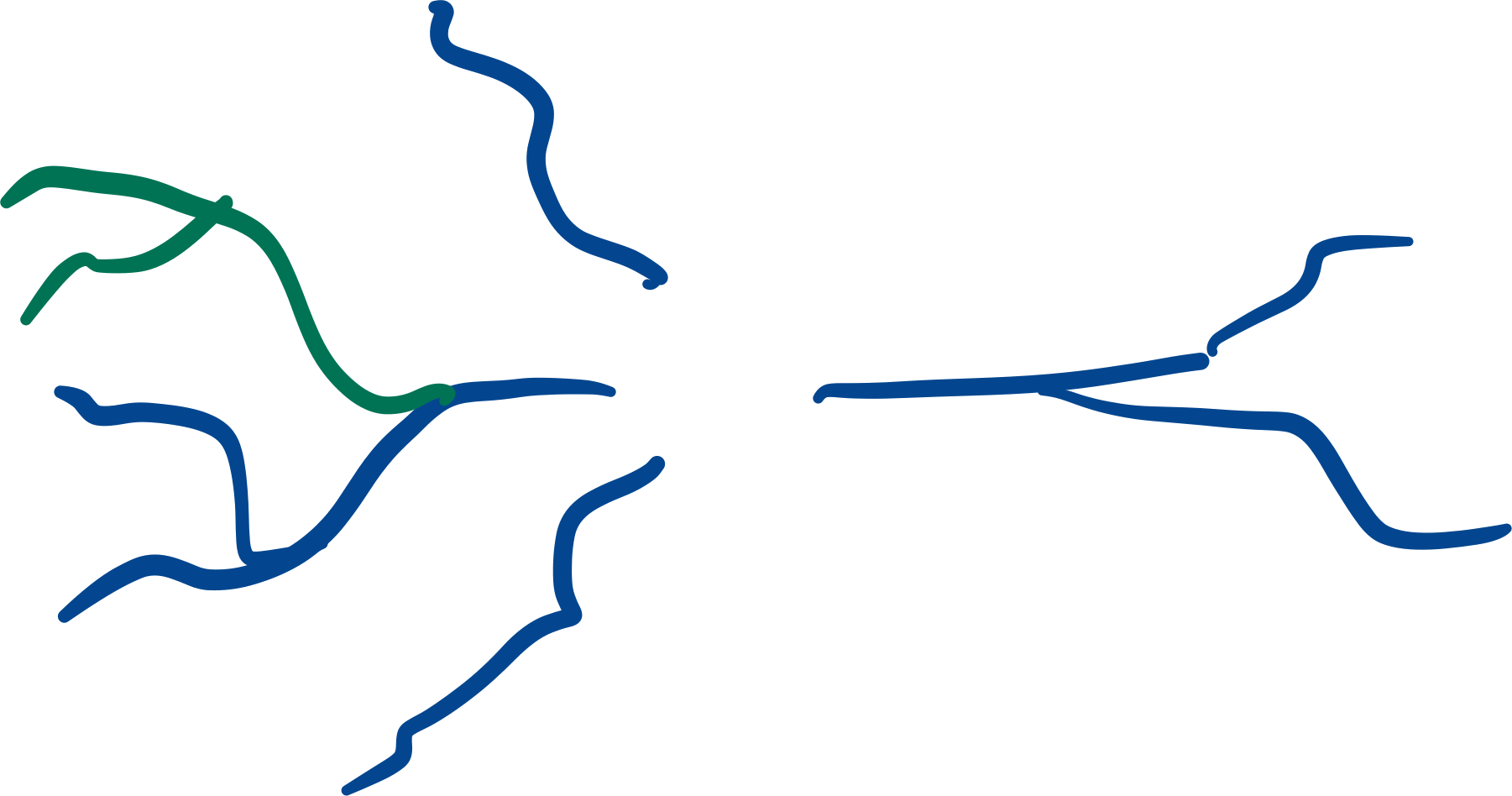
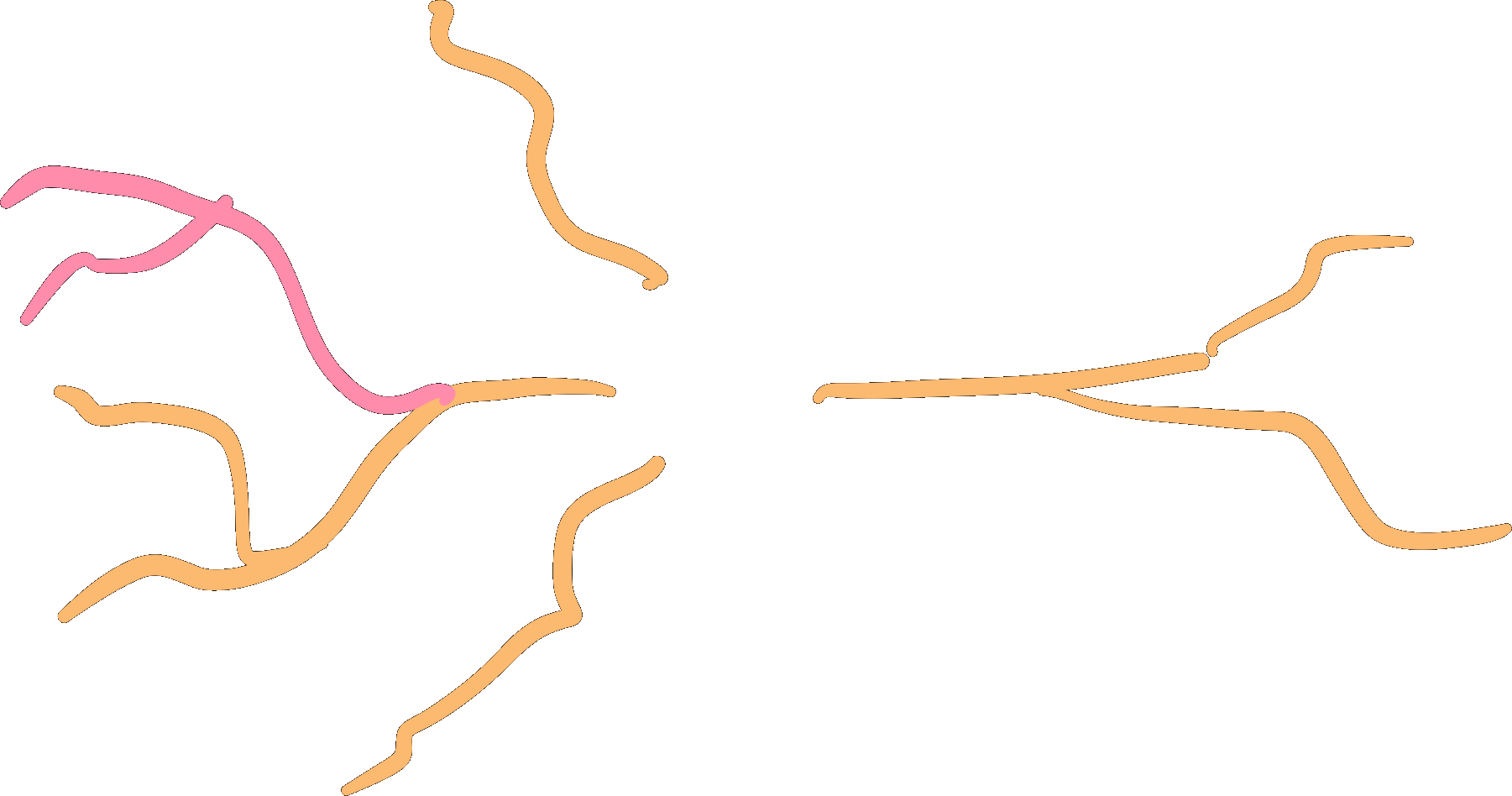
axon = morpho.subtree("axon")
# Multiple labels can be given
hybrid = morpho.subtree("proximal", "distal")
Warning
Branches will be selected as soon as they have one or more points labelled with a selected label.
Selections will always include all the branches emanating (downtree) from the selection as well:
tuft = morpho.subtree("dendritic_piece")
Translation
axon.translate([24, 100, 0])
Centering
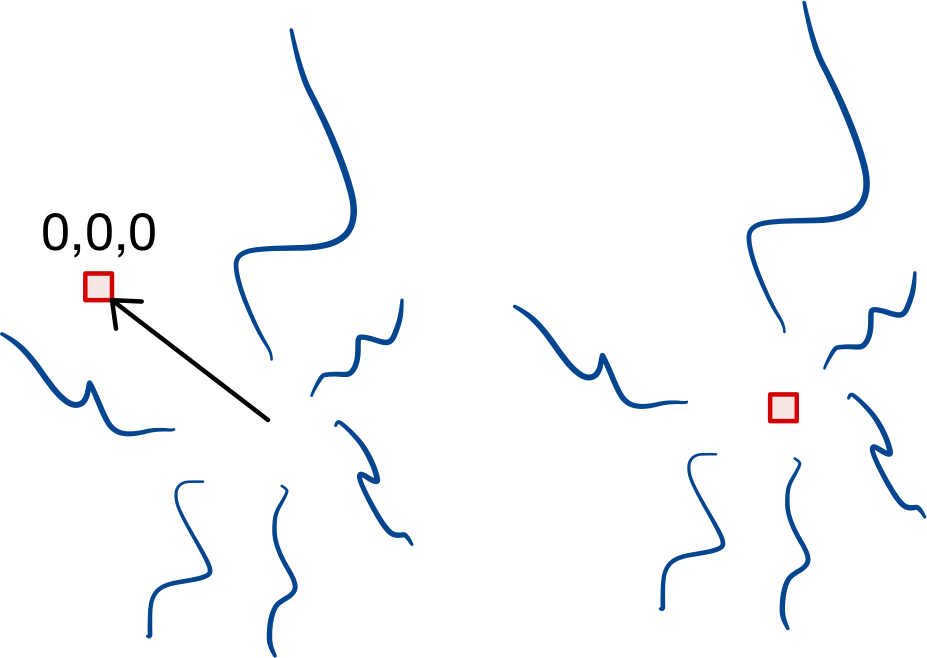
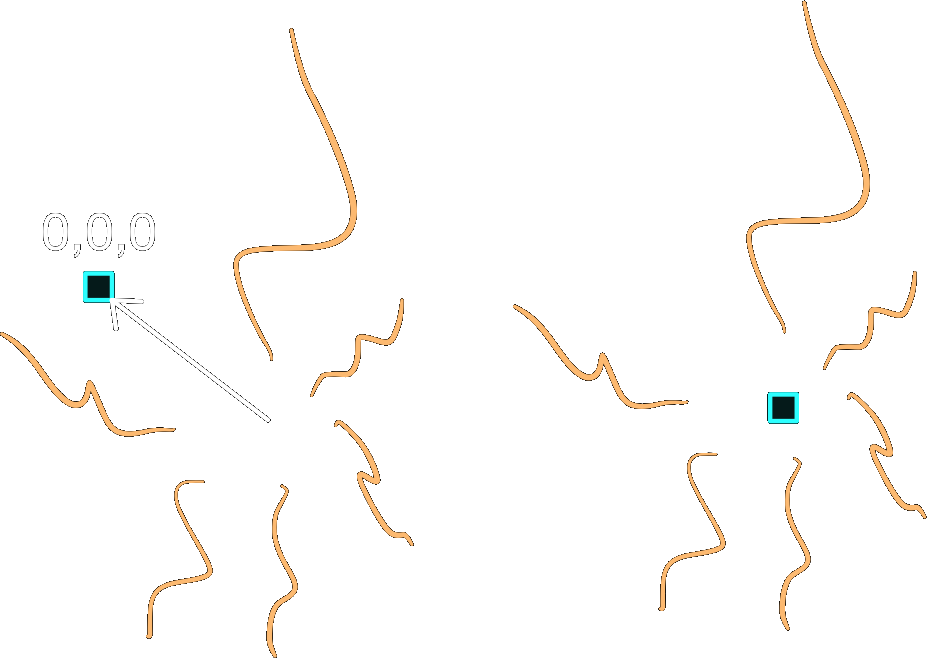
Subtrees may center themselves so
that the point (0, 0, 0) becomes the geometric mean of the roots.
Rotation
Subtrees may be rotated around a singular point, by
giving a Rotation (and a center, by default 0):
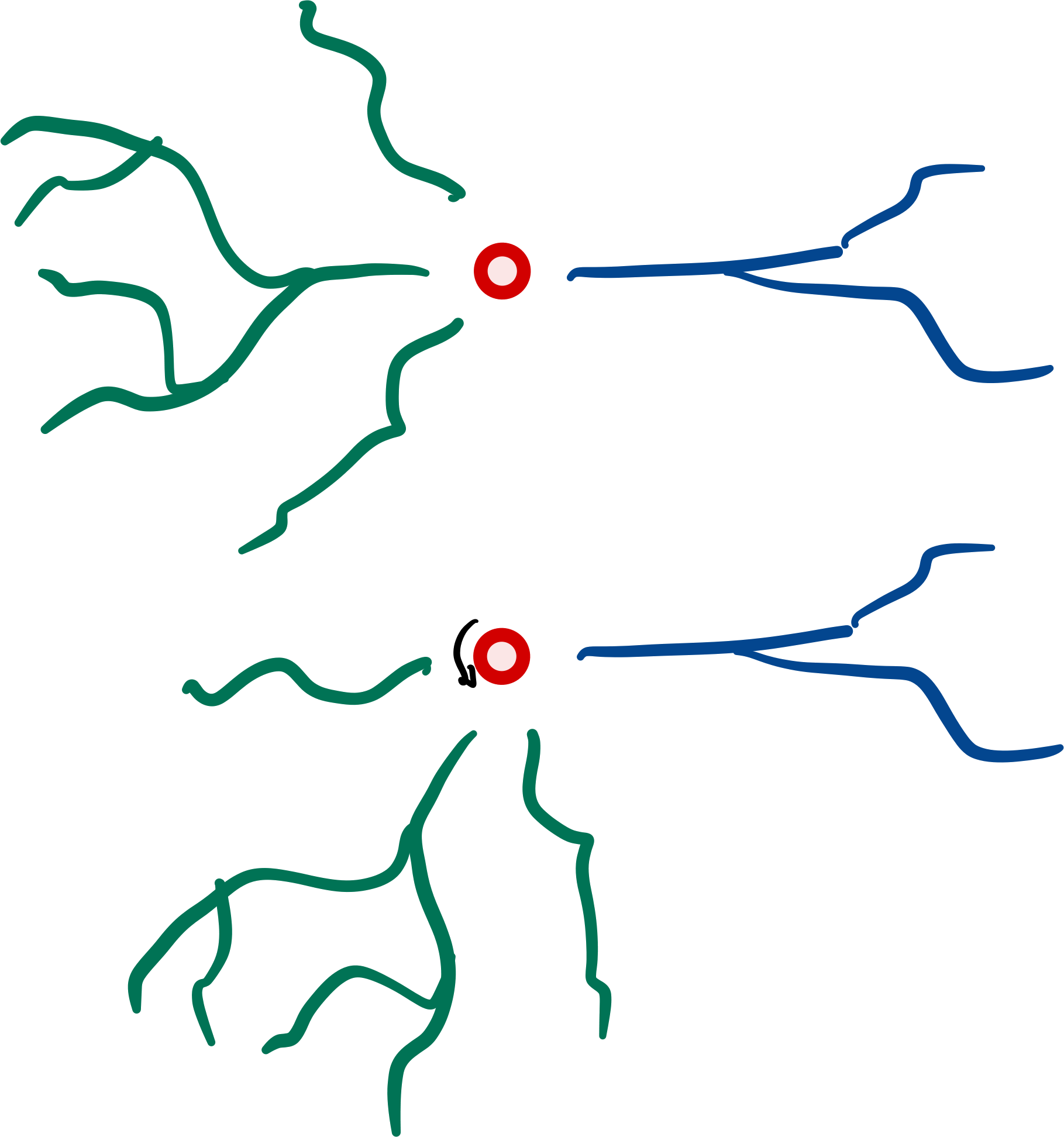
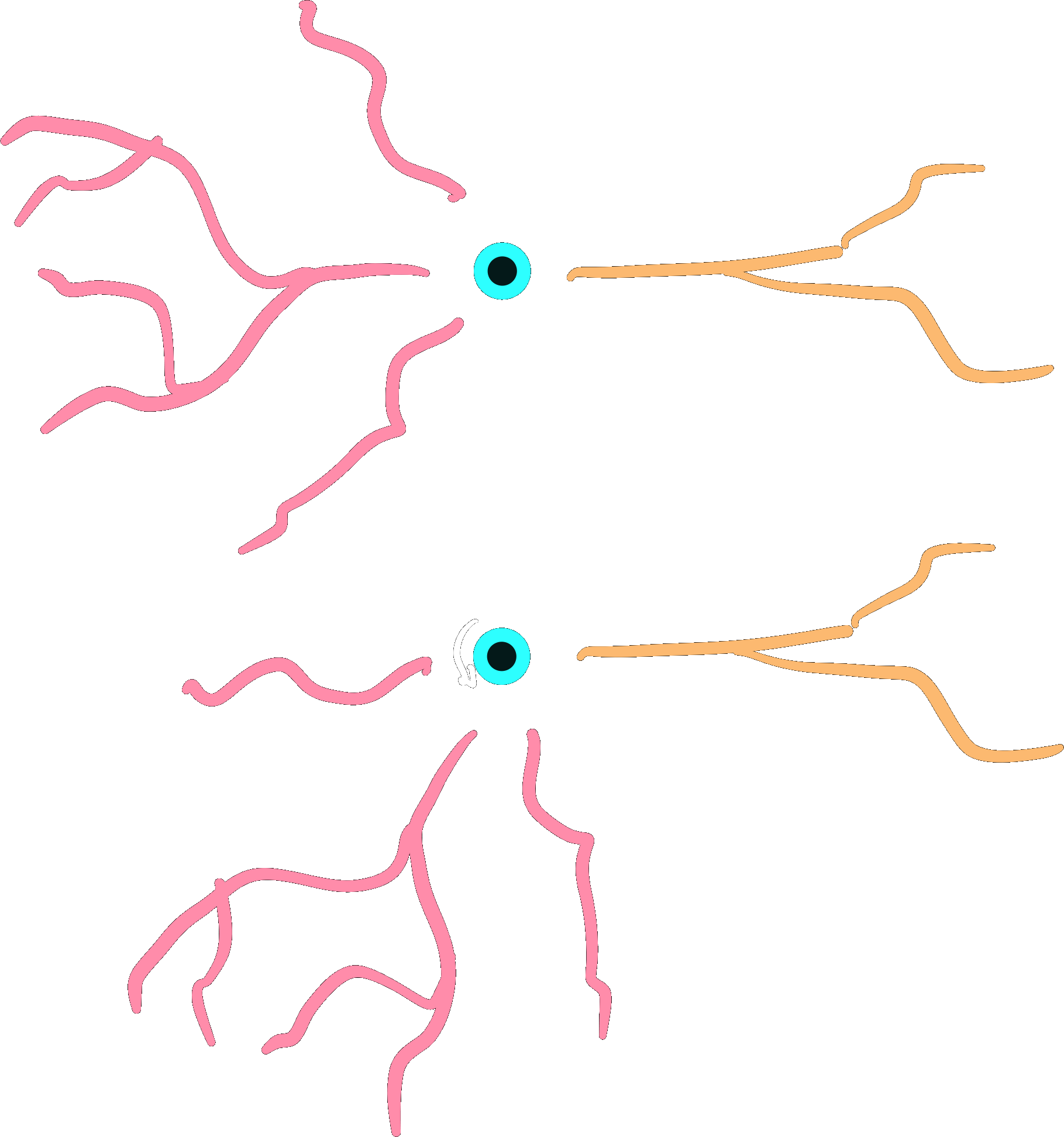
from scipy.spatial.transform import Rotation

r = Rotation.from_euler("xy", [90, 90], degrees=True)
dendrites.rotate(r)
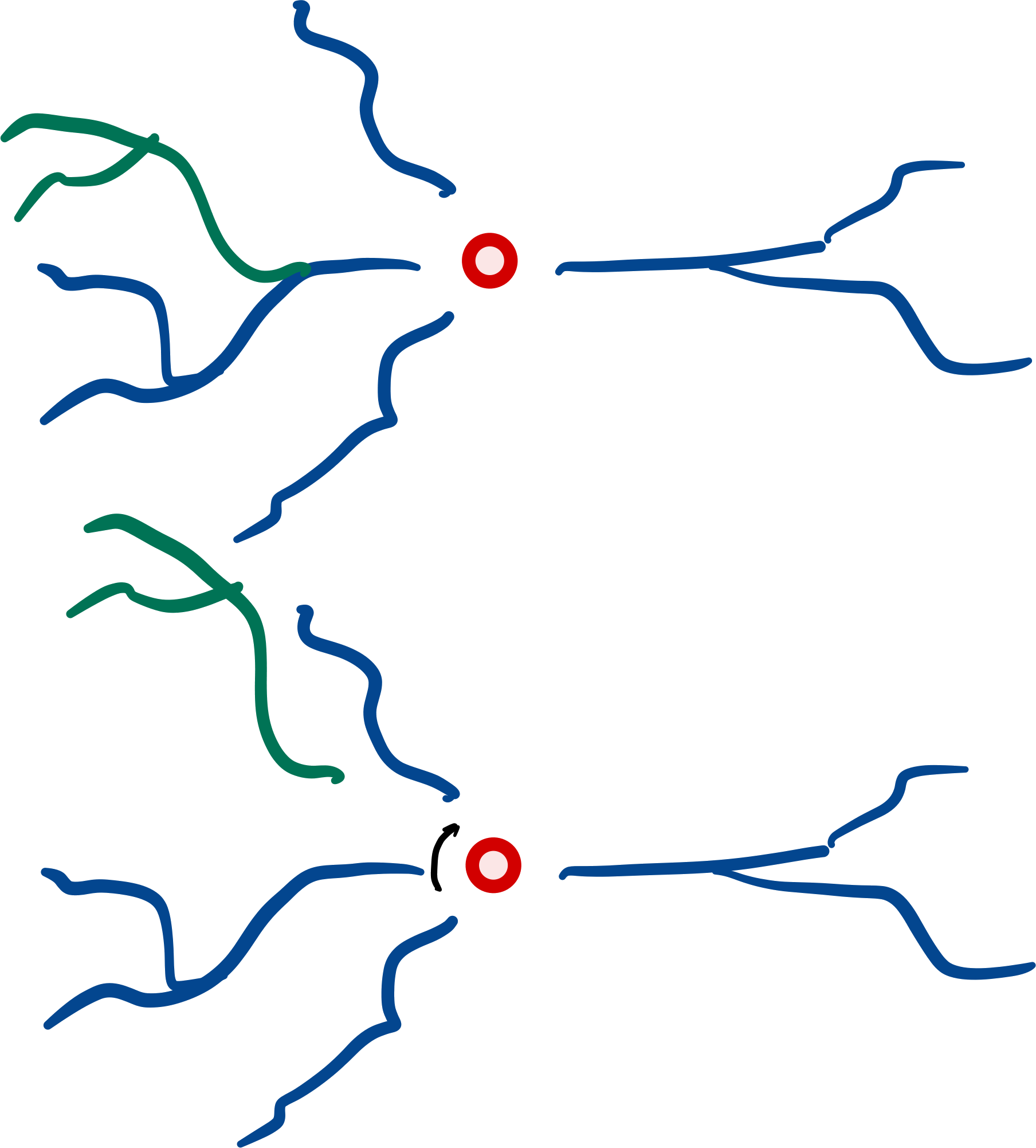
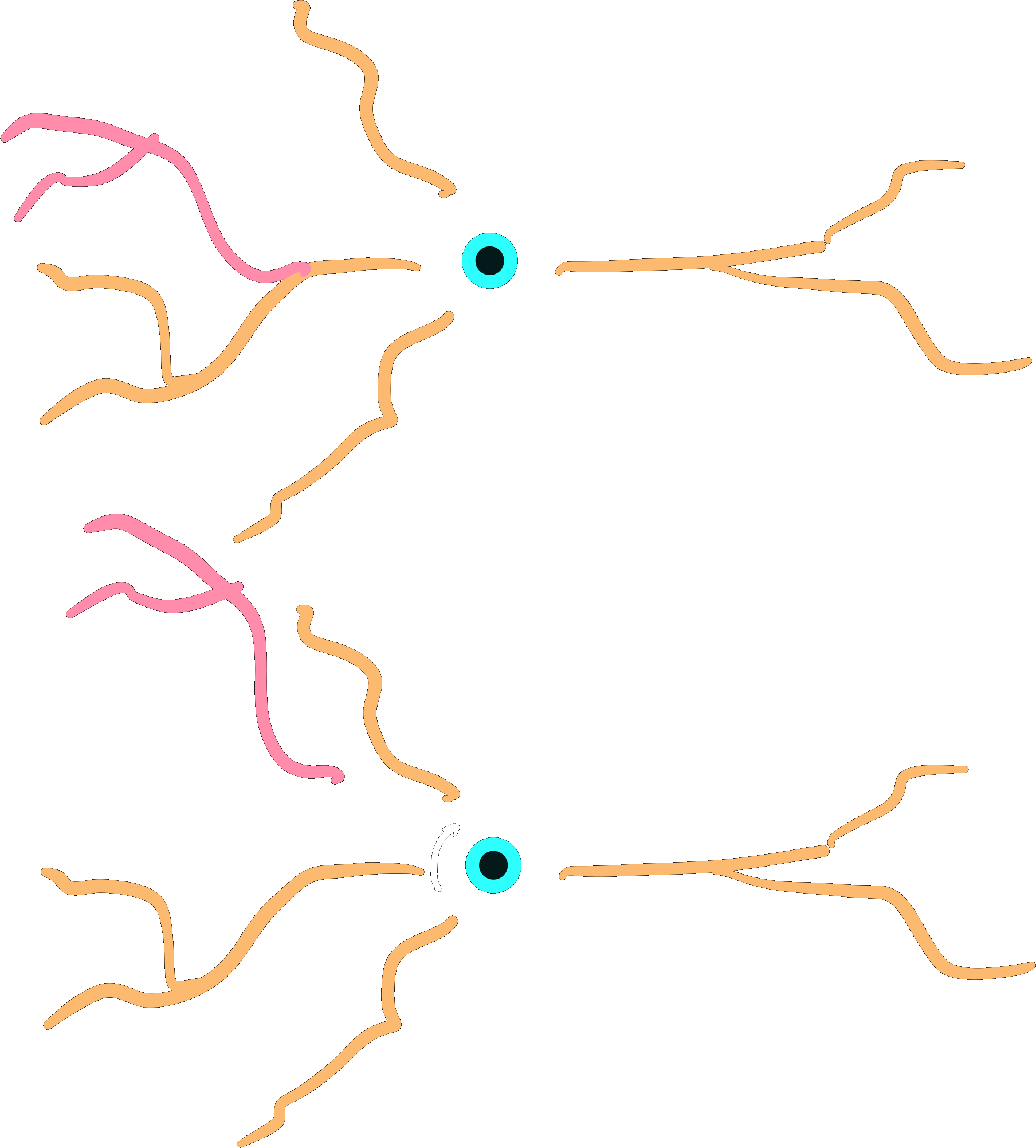
dendrite.rotate(r)
Note that this creates a gap, because we are rotating around the center, root-rotation might be preferred here.
Root-rotation
Subtrees may be root-rotated around each
respective root in the tree:
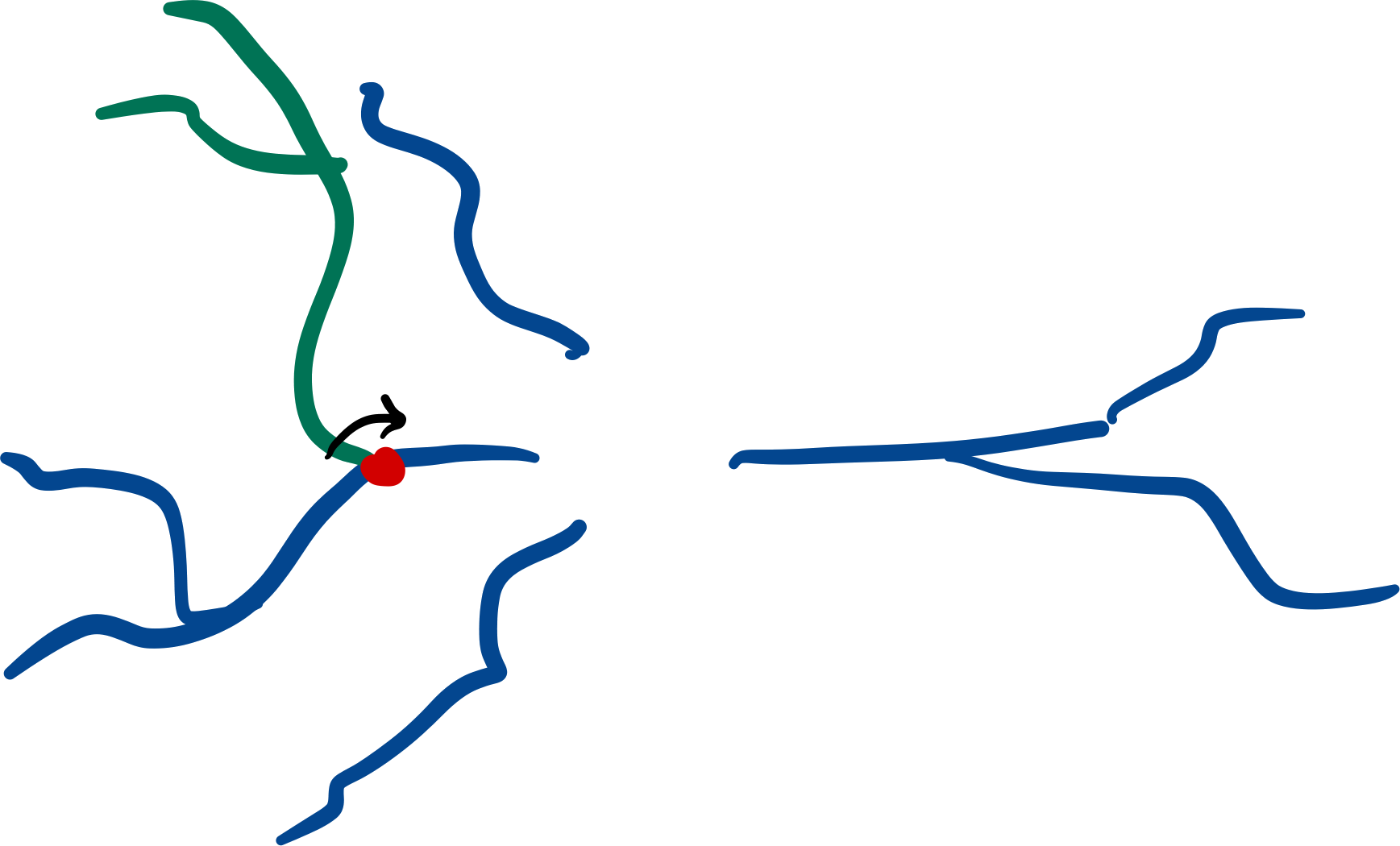
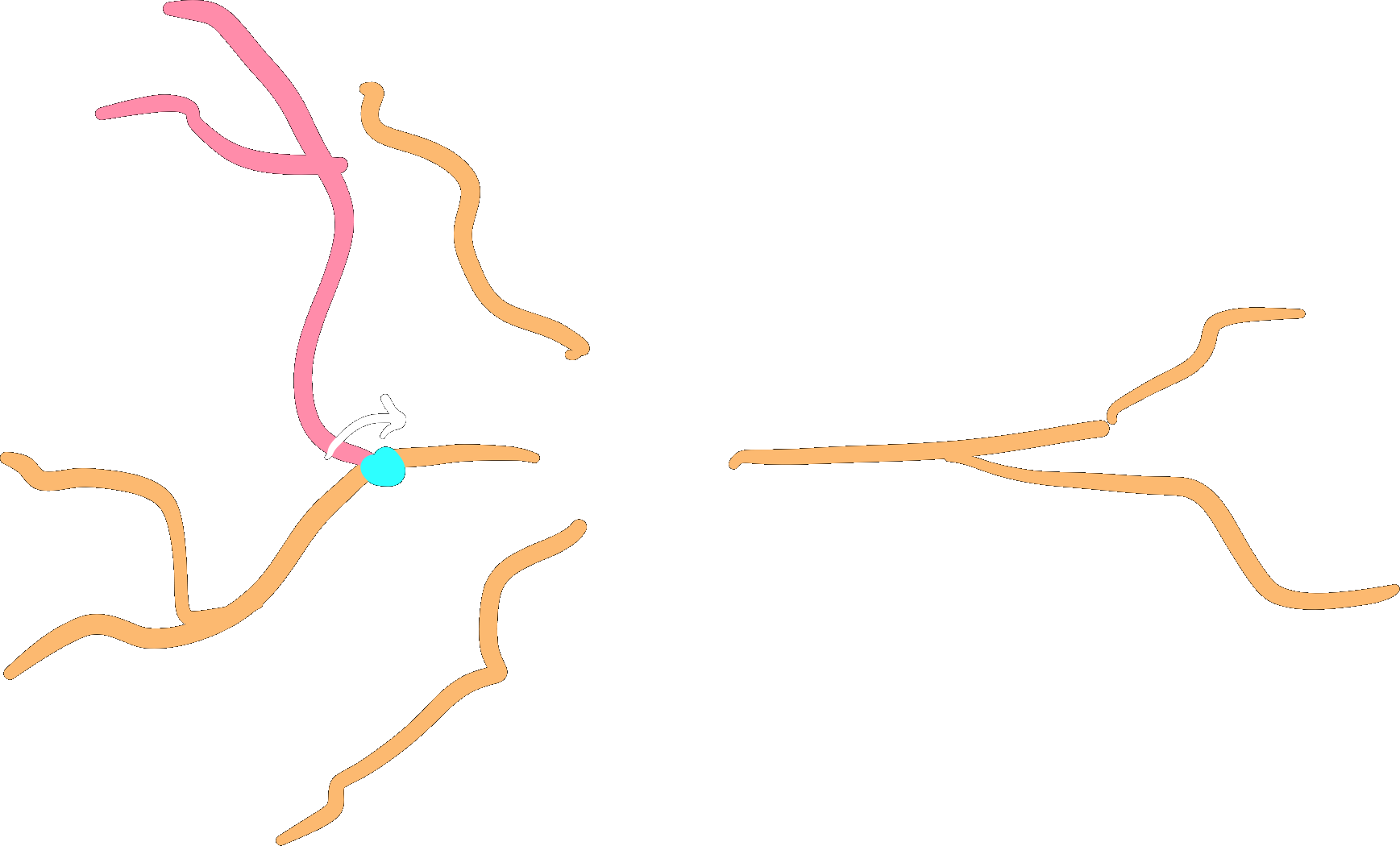
dendrite.root_rotate(r)
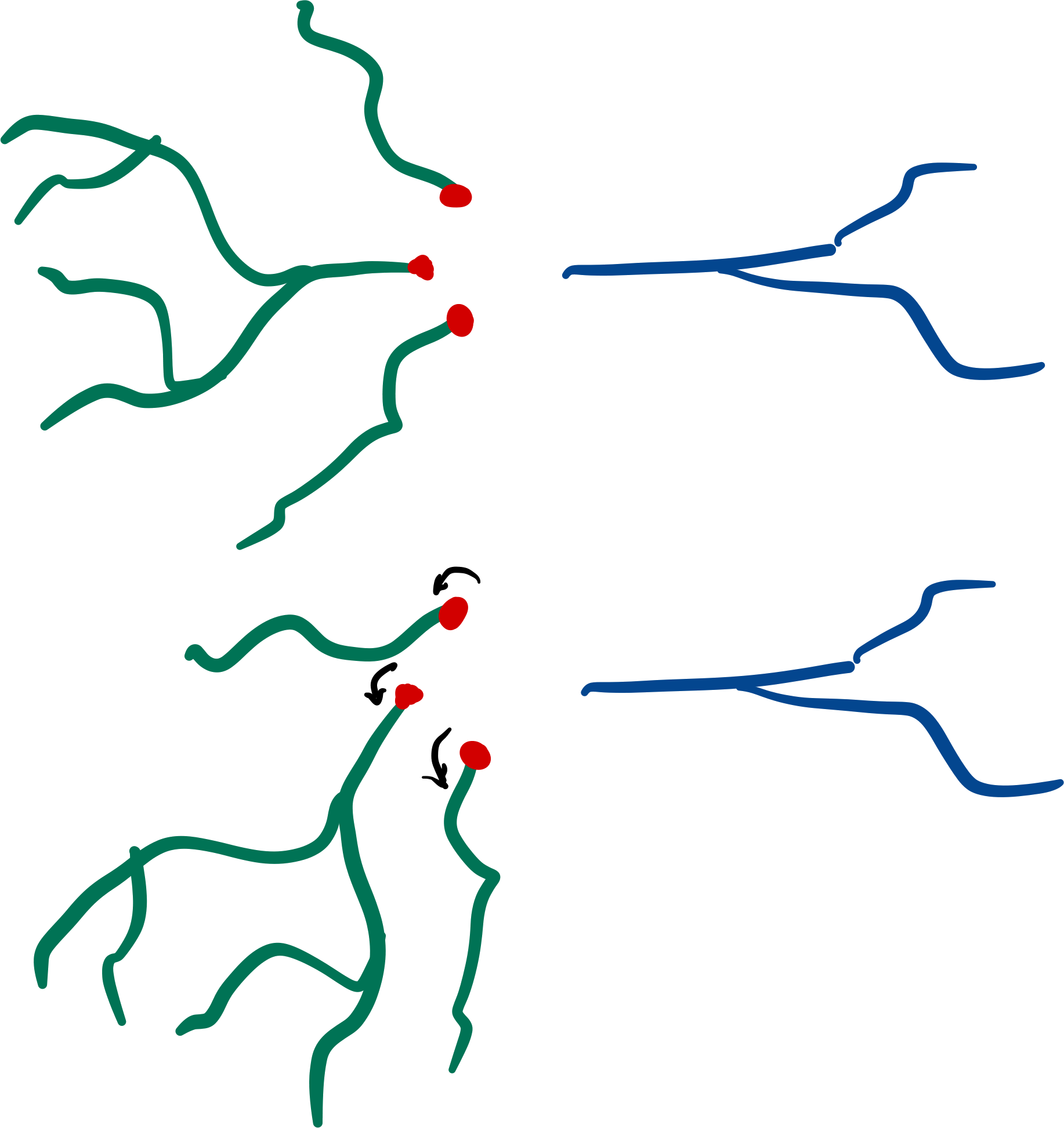
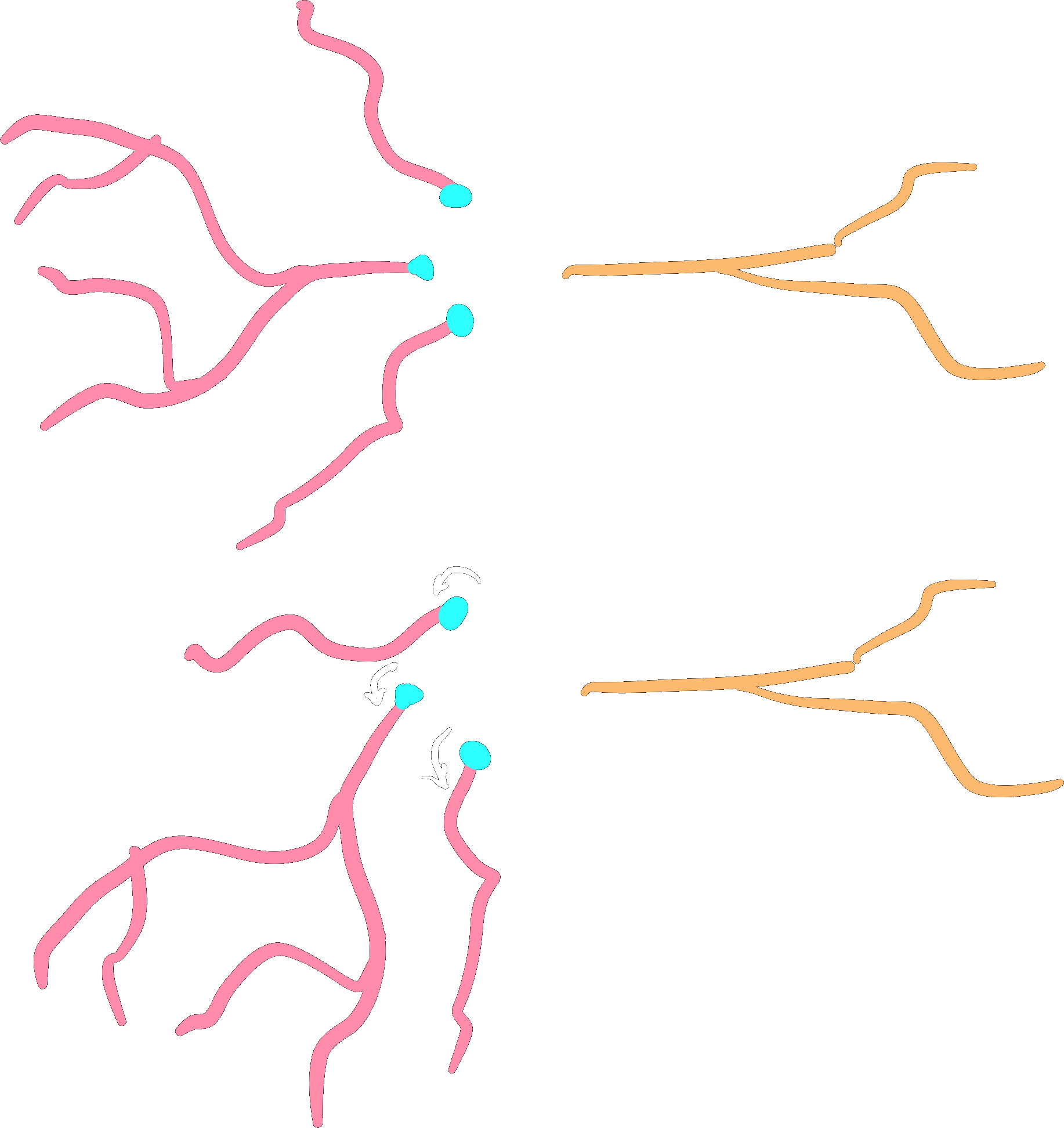
dendrites.root_rotate(r)
Additionally, you can root-rotate from a point of the
subtree instead of its root. In this case, points starting from the point selected will be rotated.
To do so, set the downstream_of parameter with the index of the point of your interest.
# rotate all points after the second point in the subtree
# i.e.: points at index 0 and 1 will not be rotated.
dendrites.root_rotate(r, downstream_of=2)
Note
This feature can only be applied to subtrees with a single root
Gap closing
Subtree gaps between parent and child branches can be closed:
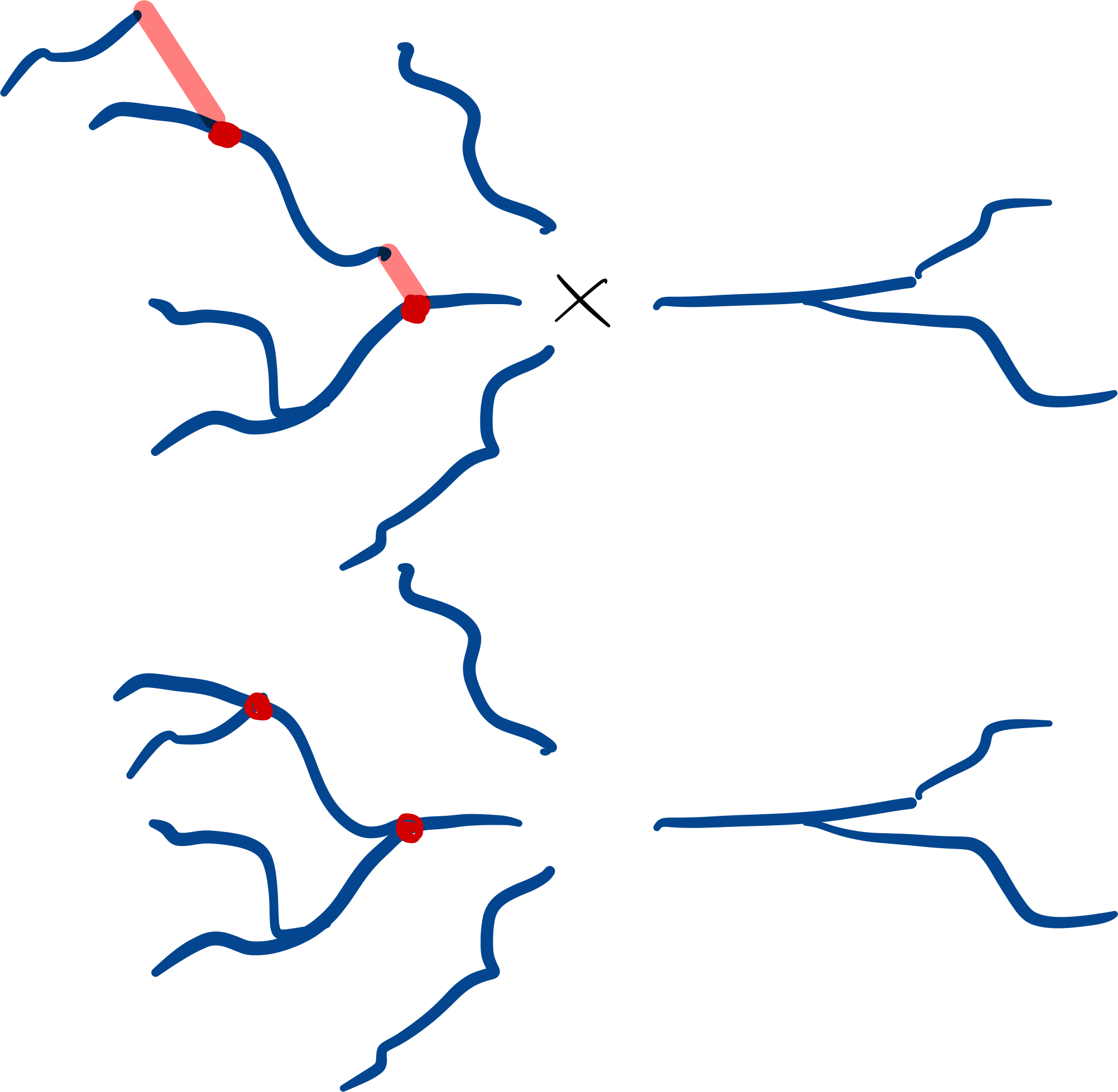
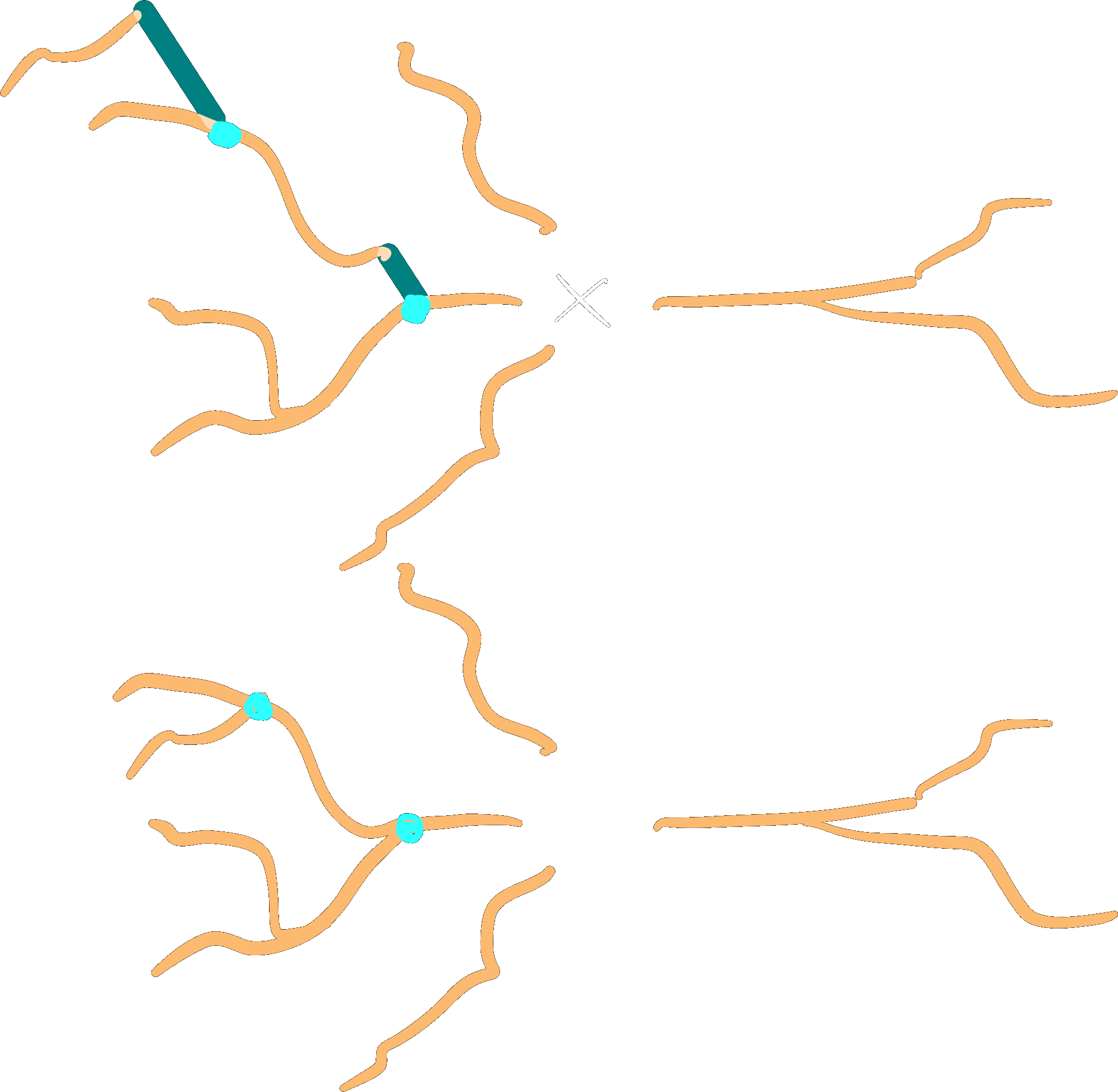
dendrites.close_gaps()
Note
The gaps between any subtree branch and its parent will be closed, even if the parent is not part of the subtree. This means that gaps of roots of a subtree may be closed as well. Gaps _between_ roots are never collapsed.
See also
Collapsing
Collapse the roots of a subtree onto a single point, by default the origin.
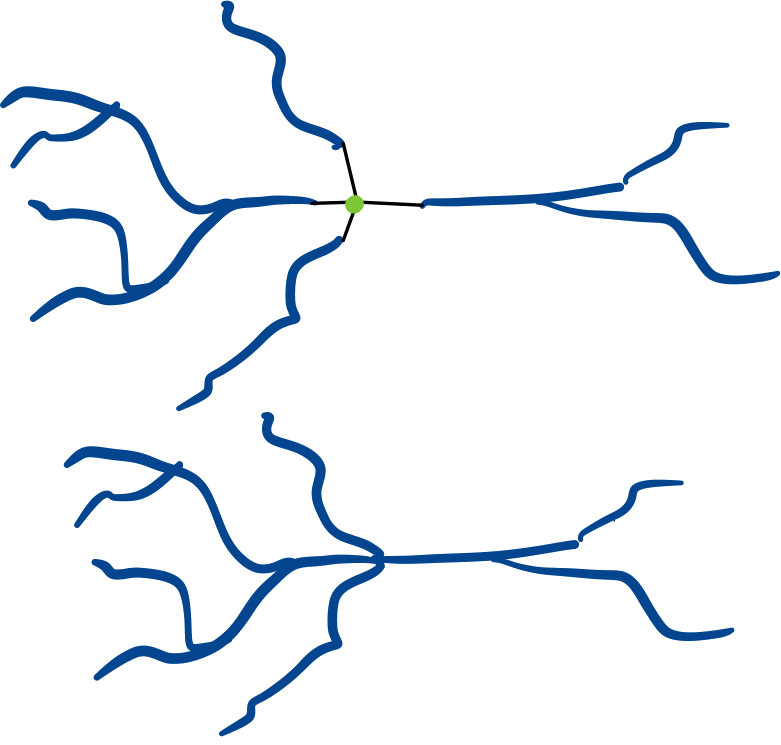
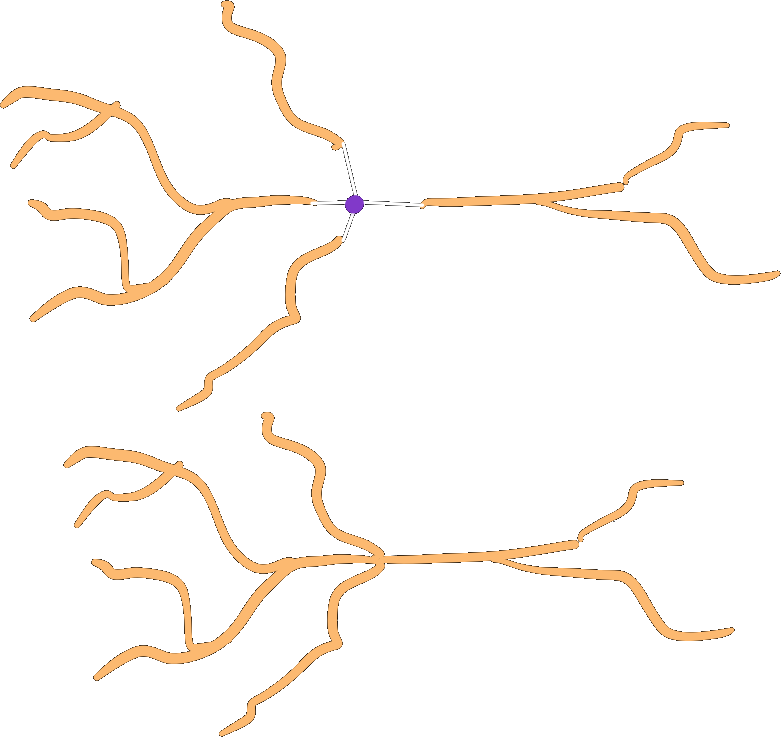
roots.collapse()
Call chaining
Calls to any of the above functions can be chained together:
dendrites.close_gaps().center().rotate(r)
Advanced features
Morphology preloading
Reading the morphology data from the repository takes time. Usually morphologies are
passed around in the framework as StoredMorphologies. These objects have a
load method to load the
Morphology object from storage and a
get_meta method to
return the metadata.
Morphology selectors
The most common way of telling the framework which morphologies to use is through
MorphologySelectors. Currently you
can select morphologies by_name or from_neuromorpho:
"morphologies": [
  {
    "select": "by_name",
    "names": ["my_morpho_1", "all_other_*"]
  },
  {
    "select": "from_neuromorpho",
    "names": ["H17-03-013-11-08-04_692297214_m", "cell010_GroundTruth"]
  }
]
If you want to make your own selector, you should implement the
validate and
pick methods.
validate can be used to assert that all the required morphologies and metadata are
present, while pick needs to return True/False to include a morphology in the
selection. Both methods are handed
StoredMorphology objects.
Only load morphologies if it is
impossible to determine the outcome from the metadata alone.
The following example creates a morphology selector selects morphologies based on the
presence of a user defined metadata "size":
from bsb import config, MorphologySelector

@config.node
class MySizeSelector(MorphologySelector, classmap_entry="by_size"):
  min_size = config.attr(type=float, default=20)
  max_size = config.attr(type=float, default=50)

  def validate(self, morphos):
    if not all("size" in m.get_meta() for m in morphos):
      raise Exception("Missing size metadata for the size selector")

  def pick(self, morpho):
    meta = morpho.get_meta()
    return meta["size"] > self.min_size and meta["size"] < self.max_size
After installing your morphology selector as a plugin, you can use by_size as
selector:
{
  "cell_type_A": {
    "spatial": {
      "morphologies": [
        {
          "select": "by_size",
          "min_size": 35
        }
      ]
    }
  }
}
network.cell_types.cell_type_A.spatial.morphologies = [MySizeSelector(min_size=35)]
Morphology metadata
Currently unspecified, up to the Storage and MorphologyRepository support to return a
dictionary of available metadata from
get_meta.
Morphology distributors
A MorphologyDistributor is
a special type of Distributor that
is called after positions have been generated by a
PlacementStrategy to assign
morphologies, and optionally rotations.
The distribute
method is called with the partitions, the indicators for the cell type and the positions;
the method has to return a MorphologySet or
a tuple together with a RotationSet.
Warning
The rotations returned by a morphology distributor may be overruled when a
RotationDistributor is
defined for the same placement block.
Distributor configuration
Each placement block may contain a
DistributorsNode, which can
specify the morphology and/or rotation distributors, and any other property distributor:
{
  "placement": {
    "placement_A": {
      "strategy": "bsb.placement.RandomPlacement",
      "cell_types": ["cell_A"],
      "partitions": ["layer_A"],
      "distribute": {
        "morphologies": {
          "strategy": "roundrobin"
        }
      }
    }
  }
}
from bsb import RoundRobinMorphologies

network.placement.placement_A.distribute.morphologies = RoundRobinMorphologies()
Distributor interface
The generic interface has a single function: distribute(positions, context). The
context contains .partitions and .indicator for additional placement context.
The distributor must return a dataset of N floats, where N is the number of positions
you’ve been given, so that it can be stored as an additional property on the cell type.
The morphology distributors have a slightly different interface, and receive an additional
morphologies argument: distribute(positions, morphologies, context). The
morphologies are a list of
StoredMorphology, that the user
has configured to use for the cell type under consideration and that the distributor
should consider the input, or template morphologies for the operation.
The morphology distributor is supposed to return an array of N integers, where each
integer refers to an index in the list of morphologies. e.g.: if there are 3 morphologies,
putting a 0 on the n-th index means that cell N will be assigned morphology 0
(which is the first morphology in the list). 1 and 2 refer to the 2nd and 3rd
morphology, and returning any other values would be an error.
If you need to break out of the morphologies that were handed to you, morphology
distributors are also allowed to return their own
MorphologySet.
Since you are free to pass any list of morphology loaders to create a morphology set, you
can put and assign any morphology you like.
Tip
MorphologySets work on
StoredMorphologies! This means that it
is your job to save the morphologies into your network first, and to use the returned
values of the save operation as input to the morphology set:
def distribute(self, positions, morphologies, context):
  # We're ignoring what is given, and make our own morphologies
  morphologies = [Morphology(...) for p in positions]
  # If we pass the `morphologies` to the `MorphologySet`, we create an error.
  # So we save the morphologies, and use the stored morphologies instead.
  loaders = [
    self.scaffold.morphologies.save(f"morpho_{i}", m)
    for i, m in enumerate(morphologies)
  ]
  return MorphologySet(loaders, np.arange(len(loaders)))
This is cumbersome, so if you plan on generating new morphologies, use a morphology generator instead.
Finally, each morphology distributor is allowed to return an additional argument to assign
rotations to each cell as well. The return value must be a
RotationSet.
Warning
The rotations returned from a morphology distributor may be ignored and replaced by the values of the rotation distributor, if the user configures one.
The following example creates a distributor that selects smaller morphologies the closer the position is to the top of the partition:
import numpy as np
from scipy.stats.distributions import norm

from bsb import MorphologyDistributor


class SmallerTopMorphologies(MorphologyDistributor, classmap_entry="small_top"):
    def distribute(self, positions, morphologies, context):
        # Get the maximum Y coordinate of all the partitions boundaries
        top_of_layers = np.maximum([p.data.mdc[1] for p in context.partitions])
        depths = top_of_layers - positions[:, 1]
        # Get all the heights of the morphologies, by peeking into the morphology metadata
        msizes = [
            loader.get_meta()["mdc"][1] - loader.get_meta()["ldc"][1]
            for loader in morphologies
        ]
        # Pick deeper positions for bigger morphologies.
        weights = np.column_stack(
            [norm(loc=size, scale=20).pdf(depths) for size in msizes]
        )
        # The columns are the morphology ids, so make an arr from 0 to n morphologies.
        picker = np.arange(weights.shape[1])
        # An array to store the picked weights
        picked = np.empty(weights.shape[0], dtype=int)
        rng = np.default_rng()
        for i, p in enumerate(weights):
            # Pick a value from 0 to n, based on the weights.
            picked[i] = rng.choice(picker, p=p)
        # Return the picked morphologies for each position.
        return picked
Then, after installing your distributor as a plugin, you can use small_top:
{
  "placement": {
    "placement_A": {
      "strategy": "bsb.placement.RandomPlacement",
      "cell_types": ["cell_A"],
      "partitions": ["layer_A"],
      "distribute": {
        "morphologies": {
          "strategy": "small_top"
        }
      }
    }
  }
}
network.placement.placement_A.distribute.morphologies = SmallerTopMorphologies()
Morphology generators
Continuing on the morphology distributor, one can also make a specialized generator of
morphologies. The generator takes the same arguments as a distributor, but returns a list
of Morphology objects, and the morphology
indices to make use of them. It can also return rotations as a 3rd return value.
This example is a morphology generator that generates a simple stick that drops down to the origin for each position:
import numpy as np

from bsb import Branch, Morphology, MorphologyGenerator


class TouchTheBottomMorphologies(MorphologyGenerator, classmap_entry="touchdown"):
    def generate(self, positions, morphologies, context):
        return [
            Morphology([Branch([pos, [pos[1], 0, pos[2]]], [1, 1])])
            for pos in positions
        ], np.arange(len(positions))
Then, after installing your generator as a plugin, you can use touchdown:
{
  "placement": {
    "placement_A": {
      "strategy": "bsb.placement.RandomPlacement",
      "cell_types": ["cell_A"],
      "partitions": ["layer_A"],
      "distribute": {
        "morphologies": {
          "strategy": "touchdown"
        }
      }
    }
  }
}
network.placement.placement_A.distribute.morphologies = TouchTheBottomMorphologies()
MorphologySets
MorphologySets are the result of
distributors assigning morphologies
to placed cells. They consist of a list of StoredMorphologies, a vector of indices referring to these stored
morphologies and a vector of rotations. You can use
iter_morphologies to iterate over
each morphology.
ps = network.get_placement_set("my_detailed_neurons")
positions = ps.load_positions()
morphology_set = ps.load_morphologies()
rotations = ps.load_rotations()
cache = morphology_set.iter_morphologies(cache=True)
for pos, morpho, rot in zip(positions, cache, rotations):
  morpho.rotate(rot)